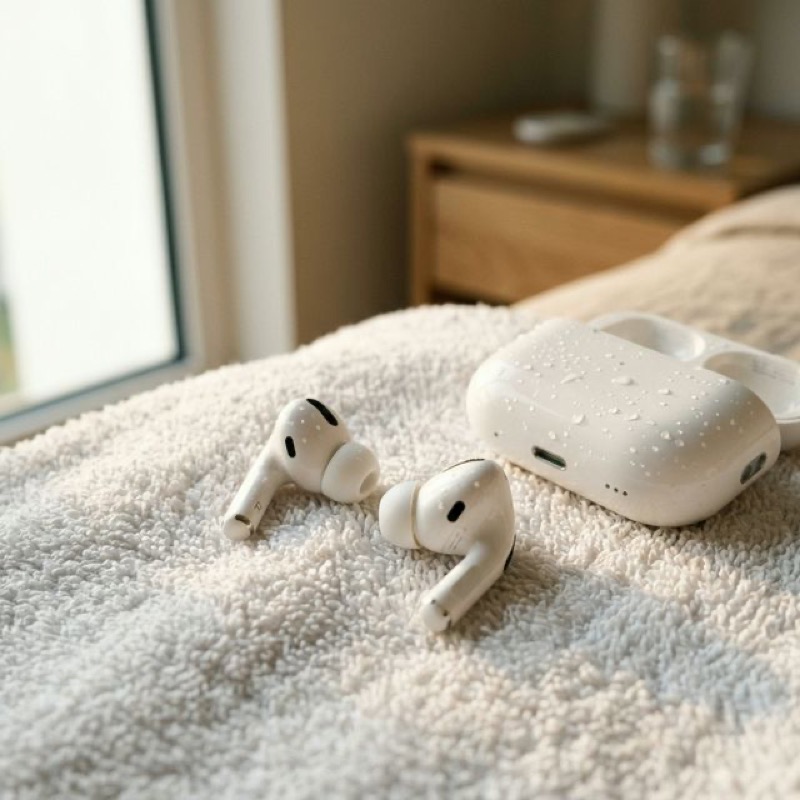
AirPods Water Damage: How to Fix
Muffled Sound After Getting Wet
By WaterEject Team
You left your AirPods in your jacket pocket and ran them through the wash. Or maybe you got caught
in a downpour, or your AirPods Pro took a swim during a workout. Whatever happened, the result is
the same: muffled, distorted, or crackling audio that makes your favorite music sound like it's
playing underwater.
Before you panic and start shopping for replacements, here's what you need to know—and what actually
works to fix the problem.
Understanding AirPods Water Resistance
Let's clear up a common misconception: AirPods are not waterproof. Even AirPods Pro
(which have an IPX4 rating) are only rated for splash and sweat resistance—not submersion.
Standard AirPods (2nd and 3rd generation) have no official water resistance rating at all.
IPX4 means protection against splashing water from any direction. It does not mean your
AirPods Pro can survive a trip through the washing machine, a pool, or even heavy rain. And
crucially, water resistance degrades over time as seals wear and adhesives weaken.
Here's what each AirPods model can realistically handle:
AirPods (1st/2nd gen): No water resistance. Any moisture exposure is risky.
AirPods (3rd gen): IPX4 — sweat and light splash only.
AirPods Pro (1st/2nd gen): IPX4 — sweat and light splash only.
AirPods Max: No water resistance rating.
AirPods Pro 2 with USB-C: IP54 — improved dust and splash resistance, but still
not submersion-proof.
Why Water Damages AirPods Sound Quality
AirPods speakers are miniaturized versions of the same technology in your phone. They use tiny
driver units with diaphragms that vibrate to produce sound. When water gets trapped inside these
drivers or behind the mesh grilles, several problems occur:
Muffled audio: Water sitting on the speaker diaphragm dampens vibrations,
reducing volume and clarity.
Crackling/distortion: Intermittent contact between water droplets and the
diaphragm causes irregular vibrations.
Reduced bass: Low-frequency responses are particularly affected because water
adds mass to the vibrating diaphragm.
One side quieter: Water may enter one AirPod more than the other, creating an
imbalance.
Microphone issues: Water in the microphone port causes your voice to sound
muffled or distant to callers.
Immediate Steps After Water Exposure
Timing is everything. The faster you act, the higher your chances of saving your
AirPods without permanent damage.
Remove from water immediately and disconnect them from your device.
Shake gently with the speaker grille facing downward. Don't shake violently—you
could push water deeper.
Pat dry with a lint-free cloth. Pay special attention to the speaker mesh,
microphone ports, and the charging contacts.
Do NOT put them in the charging case yet. The case has electrical contacts that
could short-circuit with wet AirPods inside.
Do NOT use a hairdryer. Heat can warp internal components and melt adhesives.
Do NOT stick anything into the speaker grille. You could push water deeper or
damage the mesh.
Using Sound Frequencies to Eject Water from AirPods
This is the same principle Apple Watch uses with its built-in water ejection feature. Low-frequency
sound waves create pressure variations that physically push water out of small openings. Your
AirPods don't have this feature built in, but you can use external tools like WaterEject to generate
the same effect.
How to do it:
Place one AirPod (speaker side down) near your phone's speaker.
Set volume to about 70-80% (not maximum—AirPod speakers are more delicate than phone speakers).
Run the 60-second cycle. You may see tiny water droplets appear on the mesh.
Repeat for the other AirPod.
Run 2-3 cycles per AirPod with 5-minute breaks between sessions.
For better results, download the WaterEject app
which includes haptic vibration assistance and modes specifically optimized for earbuds.
The Rice Myth: Why It Doesn't Work for AirPods
We need to address this because it's still the most common "fix" people try: Do not put your
AirPods in rice.
Rice doesn't actively remove water—it relies on ambient moisture absorption,
which is extremely slow.
Rice dust and starch particles can get into the speaker mesh and microphone
ports, causing additional damage.
While you wait for rice to "work," corrosion is setting in. The minerals in
water (especially tap water, pool water, or sweat) begin oxidizing metal contacts within hours.
Apple's own support page explicitly warns against using rice. Sound frequency ejection works in
minutes, not days, and doesn't introduce foreign particles into your AirPods.
Other Wireless Earbuds: Same Problem, Same Solution
This guide applies equally to other popular wireless earbuds that suffer from water exposure:
Samsung Galaxy Buds: Galaxy Buds2 Pro have IPX7 (better), but Galaxy Buds FE
only have IPX2.
Google Pixel Buds: IPX4 rated, similar to AirPods Pro.
Sony WF-1000XM5: IPX4 rated. Excellent noise cancellation, but equally
vulnerable to water.
Jabra Elite 85t: IPX4, same limitations apply.
Beats Fit Pro: IPX4, and being Apple-made, responds similarly to
frequency-based water ejection.
The frequency-based water ejection technique works on all of these because the underlying physics is
the same: sound waves create pressure that displaces trapped water from speaker grilles.
When Your AirPods Need Professional Repair
If after 48 hours of drying and multiple water ejection cycles your AirPods still have audio issues,
the damage may be beyond what home remedies can fix. Signs that professional service is needed:
No audio output at all from one or both AirPods
Persistent crackling that doesn't improve over time
AirPods won't charge or connect to your device
Visible corrosion (green or white residue) on charging contacts
One AirPod is significantly quieter than the other after treatment
Apple offers out-of-warranty service for AirPods, though it's often more cost-effective to replace
individual AirPods rather than the entire set. Contact Apple Support for current pricing.
Prevention: Protecting Your AirPods from Water
The best approach is prevention. Here are practical habits that help:
Check pockets before laundry. The #1 cause of AirPods water damage by far.
Use the charging case in rain. Remove your AirPods and store them in the case
during heavy rain.
Wipe sweat after workouts. Even IPX4-rated AirPods benefit from a quick
wipe-down.
Invest in waterproof ear hooks or covers for swimming or water sports — though
honestly, don't swim with AirPods.
Run periodic maintenance. Use WaterEject's Gentle mode weekly if you regularly
work out with AirPods to clear any accumulated moisture.
AirPods sound muffled after getting wet? Use WaterEject to eject water from your earbuds in seconds —
the same principle Apple Watch uses, now available for any device.